Features Pricing FAQ Demo Contact Privacy Terms Add to Chrome — Free
✦ Your personal shelf on the internet

Save What You
Dream About.

A personal shelf for places, things, and moments you never want to lose.

Add to Chrome — It's Free See it in action ↓
Live demo — Founder's Shelf
dreamshelf.app — Founder's Shelf (read-only)
Dreamshelf
📋 All drops (28)
💪 Becoming fit (6)
🤤 Mouthwatering Recipes (6)
📖 Books to Read (8)
❤️ For my love (4)
✈️ Travel Plans (7)
🔍 Search drops...
All Drops
≡ Grid
≡ List
YOUTUBE
5 Exercises for Every Day
💪 Becoming fit
YOUTUBE
Homemade Ice Cream Recipe
🤤 Mouthwatering Recipes
YOUTUBE
Voices of the Past — Ancient History
📚 Learning
ARTICLE
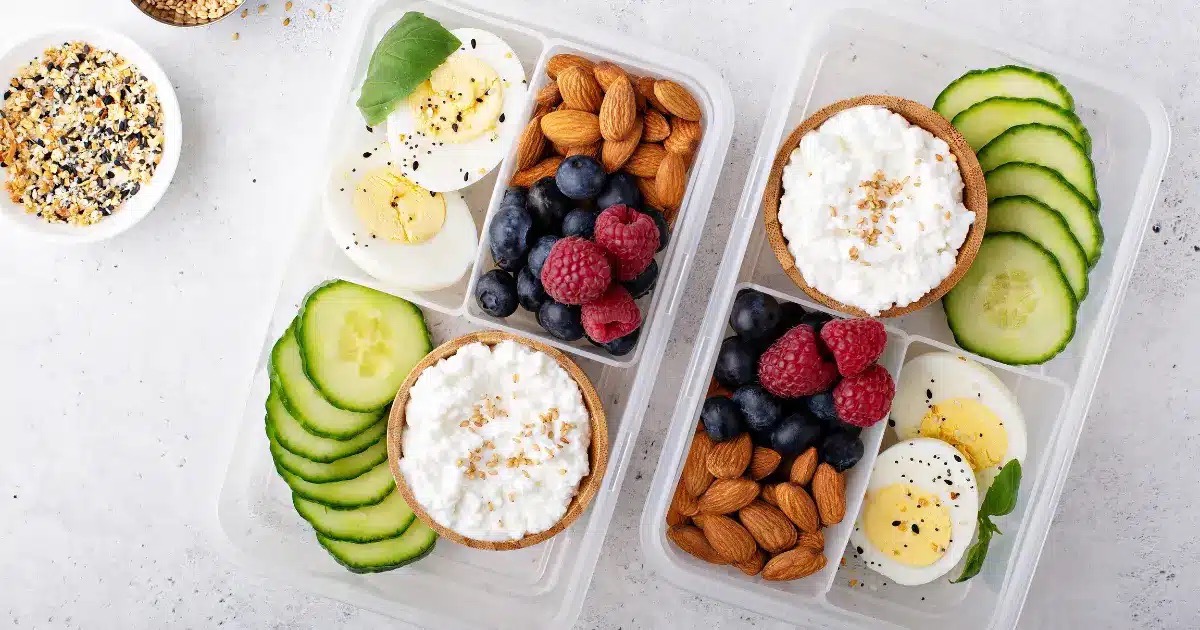
Easy High-Protein Snack Ideas
💪 Becoming fit
🏔
COLLECTION
Patagonia Trek 2026
✈️ Travel · 9 drops
📖
COLLECTION
Books to read before 30
📖 Books · 14 drops
Founder's Shelf
A real Dreamshelf — collections, notes, tags, and everything.
Features

A mirror of your curiosity

Dreamshelf gives saved links memory, context, and a home you actually want to return to.

Save in one hover

A button lives quietly on the right edge of every page. Hover, pick a category, set your status, add to a collection — saved. On YouTube it captures the thumbnail and title instantly.

Voices of the Past
youtube.com/watch?v=_m9_ZiqLg5I
Tabs
YOUTUBE
Search categories...
— Uncategorized —
Watch Later
enjoying
Dreaming
COLLECTION
— None —
📁
Collections that think

Create collections with names and descriptions you wrote. Nest other collections inside. Reorder everything until it tells your story the way you see it.

💪 Becoming fit
6 drops · 1 note
+4
🤤 Mouthwatering Recipes
6 drops
🏷
Tags that capture feeling

The tag on a drop isn't just a category — it's a snapshot of your mindset when you saved it. Something tagged Someday feels different from This Week.

📋
Planning
8 drops
enjoying
10 drops
📚
learning
6 drops
🌙
Dreaming
4 drops
+ Add your own tag — This Week, Someday, Gift Idea...
📅
Schedule what you save

Pick a date, set a time, and a Google Calendar event is created with the actual link inside. The gap between saving and doing is where intentions go to die — not here.

📁 For my love ❤️ 📅 Jun 5, 2026 · All day
📝
Clips that don't disappear

Highlight something worth keeping, right click, save it to a note. The text, the source, the timestamp — all there. Search one word later and it surfaces instantly.

📝 Tips for love
"You have to push your nervousness aside and remember that, once you have a game plan, you will be able to propose without blundering the entire thing."
www.quora.com · May 6
🔗
Share your whole shelf

Generate a share link. Anyone opens it — on their phone or laptop — and sees the whole thing in your theme, your collections, exactly as you built it. Read only. No login required.

dreamshelf.app/shelf/alex-nguyen
Copy Link
🔒
You're viewing Alex's Shelf
READ ONLY · No login needed · Works on any device
🏔
Patagonia Trek — 2026 Planning
collection · 9 drops
📖
Books to read before 30
collection · 14 drops
🎨
5 complete themes

Midnight Wanderer, Golden Hour, Quiet Bloom, Aurora, Open Sky — each changes every card, every colour, the whole feeling of your shelf. It looks like something you actually built.

Midnight Wanderer
My Shelf 28 drops
🏔
Patagonia Trek Planning
collection · 9 drops
Someday
📖
Books to read before 30
collection · 14 drops
This Week
All 5 themes included free — tap to preview
Save whole sessions

Twenty tabs open? Open the multi-tab panel, check the ones that matter, tag them all at once, close the rest. An entire research session captured in thirty seconds.

Save Multiple Tabs
max 10
The Entire History of Ancient Rome
youtube.com
learning
Japanese Culture and Traditions
britannica.com
learning
New Tab
📋
Pull from your shelf anywhere

Right click any text box anywhere on the web. A picker shows everything on your shelf. Select a drop and its link pastes. Your shelf isn't just where things go — it's what you work from.

Type a message...
Paste from Dreamshelf
🍫 Easy Chocolate Truffles
🎬 Netflix — Stranger Things
Albert Einstein - Wikipedia
Nikola Tesla - Wikipedia
🔗
Your plan, visualized

Switch a collection to Chains view — a flowchart of your drops with labeled arrows connecting them. Switch to Rays and get a radial mind-map. Your thinking made visible, not just listed.

≡ Normal
⛓ Switch to Chains
✦ Switch to Rays
🔗 DROP edinburgh to london flight for couples Visit flight to ▶ DROP Most Romantic Places in London ❤️ Visit explore 🔗 DROP Top 15 Places to Propose in London Visit finally propose 🏨 DROP THE BAILEY'S HOTEL LONDON KENSINGTON Visit make love 🍽 DROP Fallow – one of most romantic restaurants Visit if yes 💍 💍 DROP Henri Daussi Cushion Diamond Halo Ring Visit For my love ❤️ — Chains view
🔍
One word. It's right there.

Every drop title, every note, every tag — all searched in real time. Something saved months ago surfaces instantly. Your shelf has better memory than you do.

chicken
+ All
💪 Fitness
📚 Study
1 result found
FITNESS
···
💪
Calories in Chicken Breast — Full Guide
ARTICLE
Becoming fit
1 / 11
Pricing

Simple, honest pricing

Start free. Grow when it's earned.

Free forever
$0 / mo
50 drops · no card needed
  • 50 drops per month
  • All 5 themes
  • Collections & notes
  • Tags & categories
  • Google Calendar scheduling
  • Share shelf publicly
  • Multi-tab saving
  • Chains & Rays views
  • Referral program (+50 drops)
Install in Chrome — It's Free
FAQ

Common questions

Yes — both. When you save a YouTube video, Dreamshelf grabs the full thumbnail, the video title, and the exact timestamp you're watching at. So if you're 14 minutes into a tutorial and save it, the card on your shelf shows exactly where you were. No extra steps.
Open your shelf, click the ⋯ button on any drop, and choose Schedule. Pick a date and time — or mark it all-day — then hit Open Calendar. Google Calendar opens with the event already filled in, including the link to the drop. From there you just save the event.
Yes. Select any text on any page, right-click, and choose Save to Dreamshelf Notes. You can create a new note or clip it into an existing one. The highlighted text, the source URL, and the page title are all saved automatically — so you always know where it came from.
Yes. Right-click any image on any website and choose Save image to Dreamshelf. It goes straight to your shelf as an image drop — no panel, no extra steps.
When you right-click inside any text field on the web — a message box, a doc, an email — you'll see Paste from Dreamshelf. Click it and a small picker opens with your drops, notes, and collections. Select one and its link pastes directly into the field. Useful for sharing saved links without switching tabs.
Yes. Hit Share Shelf in the sidebar and you get a public link. Anyone can open it on their phone or laptop — no account, no login. They see your shelf in your theme, with all your collections, exactly as you built it. Read-only.
Two visual layouts for any collection. Chains turns your drops into a flowchart — nodes connected by labeled arrows you draw yourself, so you can map a plan step by step. Rays turns the same collection into a radial mind-map, branching outward from a centre drop. Switch between them any time from the collection toolbar.
Archive them. Hit ⋯ on any drop and choose Archive — it leaves your main shelf and moves to the Archive view, which you can access from the sidebar. Archived drops are still fully searchable, just out of the way.
50 drops per month, all 5 themes, collections, notes, tags, scheduling, public shelf sharing, multi-tab saving, Chains & Rays — no credit card needed. Heavy savers upgrade to Pro at $4.99/mo for unlimited drops and priority support. You can also earn extra drops by referring friends — each signup adds +50 to your monthly limit.

Your shelf is waiting.
Start saving.

Free to use. Upgrade for more.

Add Dreamshelf to Chrome — Free
🔒 Privacy Policy

Effective date: 27 May 2026

Privacy is core to how Dreamshelf works. Here's exactly what we do — and don't do — with your data.

What we collect
  • The links, notes, tags, and collections you explicitly save to your shelf.
  • Your email address, used only to identify your account.
  • Your drop count, used only to enforce free plan limits.

We do not collect your browsing history. Nothing is read or transmitted unless you click save.

How the extension works on your device

Dreamshelf adds a save button to every webpage you visit. It does not monitor your browsing or collect any data from pages you don't interact with. When you save something, the page URL, title, thumbnail, and any notes or tags you've added are sent to and stored on your shelf.

Your auth tokens are stored in Chrome's local storage on your device only. Your UI preferences (such as button position) are also stored locally only. No extension data is synced across devices via Chrome sync storage.

On Google Search and YouTube, Dreamshelf can hide ads, sponsored results, and distracting UI elements. This feature is available to Pro subscribers and runs only when enabled.

Your content is private

Everything on your shelf is private by default. Nobody can see it.

If you choose to share your shelf, a public link is generated. You can disable that link at any time — access is revoked instantly. Shared shelves are view-only; viewers cannot modify your shelf or access your account.

Third parties

Your shelf data is stored on Supabase, a secured cloud database with encryption at rest and in transit.

Payments are handled by Kelviq. When you upgrade to Pro, your email address and an account identifier are shared with Kelviq solely to process your payment.

We do not sell, rent, trade, or share your personal data with advertisers or data brokers. Ever.

We do not use your data to train AI

Your saved content is yours. It is never used to train machine learning models or improve any AI system.

Data deletion

Your shelf data is retained for as long as your account is active. You can request deletion of your account and all associated shelf data at any time by emailing us. We will process the request within 14 days.

Changes to this policy

If we make significant changes, we'll notify you via email. The date at the top of this page always reflects the current version.

Chrome Web Store data use compliance

The use of information received from Google APIs will adhere to the Chrome Web Store User Data Policy, including the Limited Use requirements.

Specifically: data collected through Dreamshelf — including your email address, saved drops, notes, collections, and tags — is used solely to provide and improve the Dreamshelf service. We do not sell, transfer, or use your data for advertising, profiling, or any purpose unrelated to the extension's core functionality. We do not permit any employee or third party to read your personal data except as required for security purposes or as permitted by applicable law.

Questions?

If you have any questions about this policy or want your data deleted, reach out:

✉ support@dreamshelf.online
Last updated: May 2026
📋 Terms of Service

By using Dreamshelf, you agree to these terms. We've kept them straightforward.

Using Dreamshelf

Dreamshelf is a personal bookmarking and organisation tool. Use it to save, organise, and revisit content that matters to you. You are responsible for keeping your account credentials secure. Don't use Dreamshelf to store or share illegal, harmful, or abusive content.

Your content

You own everything you save to your shelf. We don't claim any rights to your content. By saving content, you confirm you have the right to store it for personal use. If you delete your account, your data is removed from our systems within 14 days.

Pro plan & billing

Pro subscriptions are billed monthly, annually, or as a one-time lifetime purchase depending on the plan you select. You can cancel at any time — access continues until the end of your current billing period. Lifetime purchases are non-recurring and grant permanent access. Prices are listed in USD. We reserve the right to change pricing with advance notice to existing subscribers.

Refunds

If you're unsatisfied with Dreamshelf Pro, contact us within 7 days of your charge and we'll make it right. We handle requests on a case-by-case basis and will always try to be fair.

Service availability

We work hard to keep Dreamshelf running reliably. We cannot guarantee uninterrupted availability and are not liable for losses arising from downtime or service interruption, though we will always do our best to keep your shelf safe and intact.

Limitation of liability

Dreamshelf is provided as-is. To the extent permitted by applicable law, we are not liable for indirect, incidental, or consequential damages arising from your use of the service.

Changes to these terms

If we make significant changes, we'll notify you via email. Continued use of Dreamshelf after changes constitutes acceptance of the updated terms.

Questions or billing concerns?

Reach out — we're happy to help.

✉ support@dreamshelf.online
Last updated: May 2026
✉ Contact Us

We're a small team and we actually read every message. Whether it's a bug, a billing question, feedback, or just a hello — reach out.

What we can help with
  • Bug reports or something not working as expected.
  • Billing questions and refund requests.
  • Feature ideas — we genuinely love hearing them.
  • General feedback or just saying hi.

We typically respond within 24–48 hours.